![bj-logo-grey.svg]](https://support.bestjobs.eu/hubfs/bj-logo-grey.svg)
You can change your contact information from your account, either from the Personal Profile / Edit CV page, Personal Data section, or from the Account Settings page, Account Data section.
Personal Profile / Edit CV
Click on the three lines in the upper right corner and access the Personal Profile / Edit CV page. On the left, under your profile picture, in the Personal Data section, you can change your email address and phone number. After entering your new email address, click the Save button at the bottom of the page. The phone number is only saved if you also complete its confirmation via SMS.
Account Settings
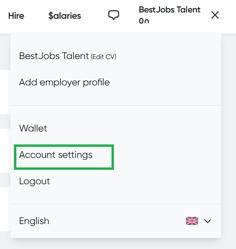
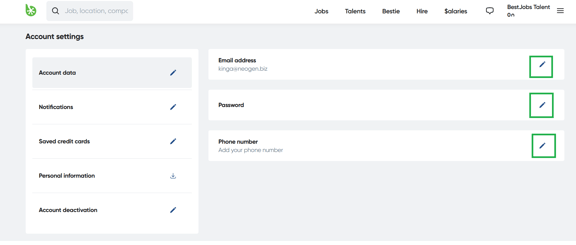
Click on the three lines in the upper right and access the Account Settings page. In the Account Data section, select the desired field and click on the pencil icon on the right. In the opened window, you can change your email address, password or phone number. If you want to change your email address, it is necessary to enter your current password.