![bj-logo-grey.svg]](https://support.bestjobs.eu/hubfs/bj-logo-grey.svg)
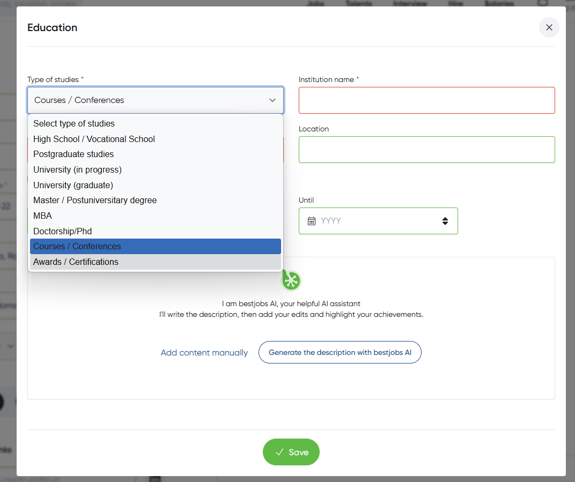
You can add certifications and professional training courses within the Education section by following these steps:
- Click the three lines in the top-right corner and go to Personal Profile / Edit CV.
- On the right side of the Education section, click the “+” icon.
- In the window that opens, under Type of Studies, select Courses / Conferences or Awards / Certifications, complete the other fields with the relevant information, and then click Save.