![bj-logo-grey.svg]](https://support.bestjobs.eu/hubfs/bj-logo-grey.svg)
The search is performed using a keyword and location. On the search results page, you can click Create a job alert with this search to receive email notifications with the latest job postings.
The new job alert can be activated or deactivated by following the steps below:
- Log in to your account using the following link: https://www.bestjobs.eu/login
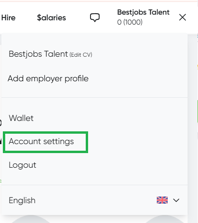
- Click on the three lines in the upper right corner and enter the Account Settings section
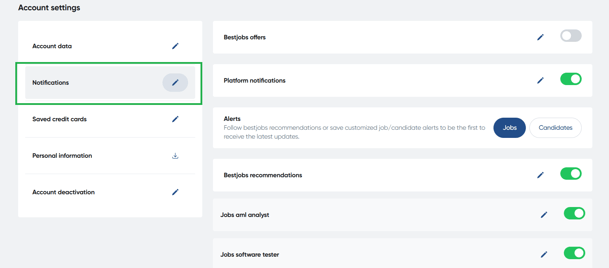
- Open the Notifications section by clicking on the pencil icon next to the section.
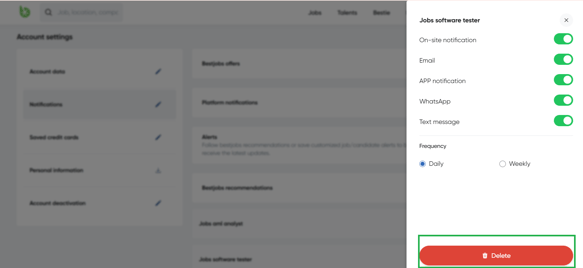
- Find the search you want to unsubscribe from and click on the activation/deactivation icon on the right. You can also delete a saved search: click the pencil icon next to the search, and in the window that opens, click the Delete button at the bottom.